A YouTube background sign is the only piece of branding that appears in every
single thing you publish. It is in the thumbnail, the intro, the mid roll, every clip cut for
shorts, and every screenshot anyone ever takes of your channel.
For a piece of wall decor that costs less than a decent lens, that is remarkable value. It is
also worth getting right, because unlike a logo bug you cannot change it in post.
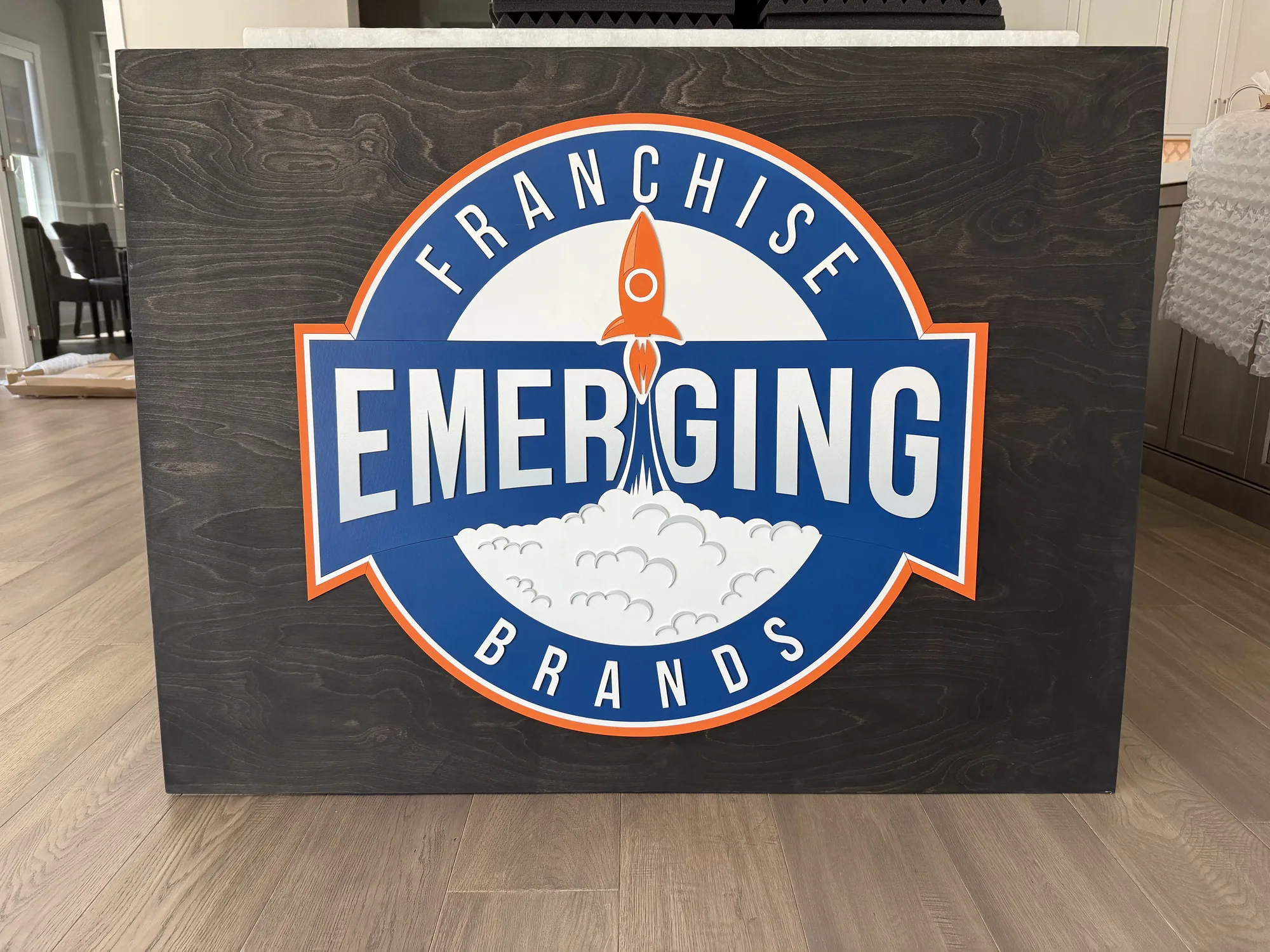
The project: a contour cut sign for on camera use
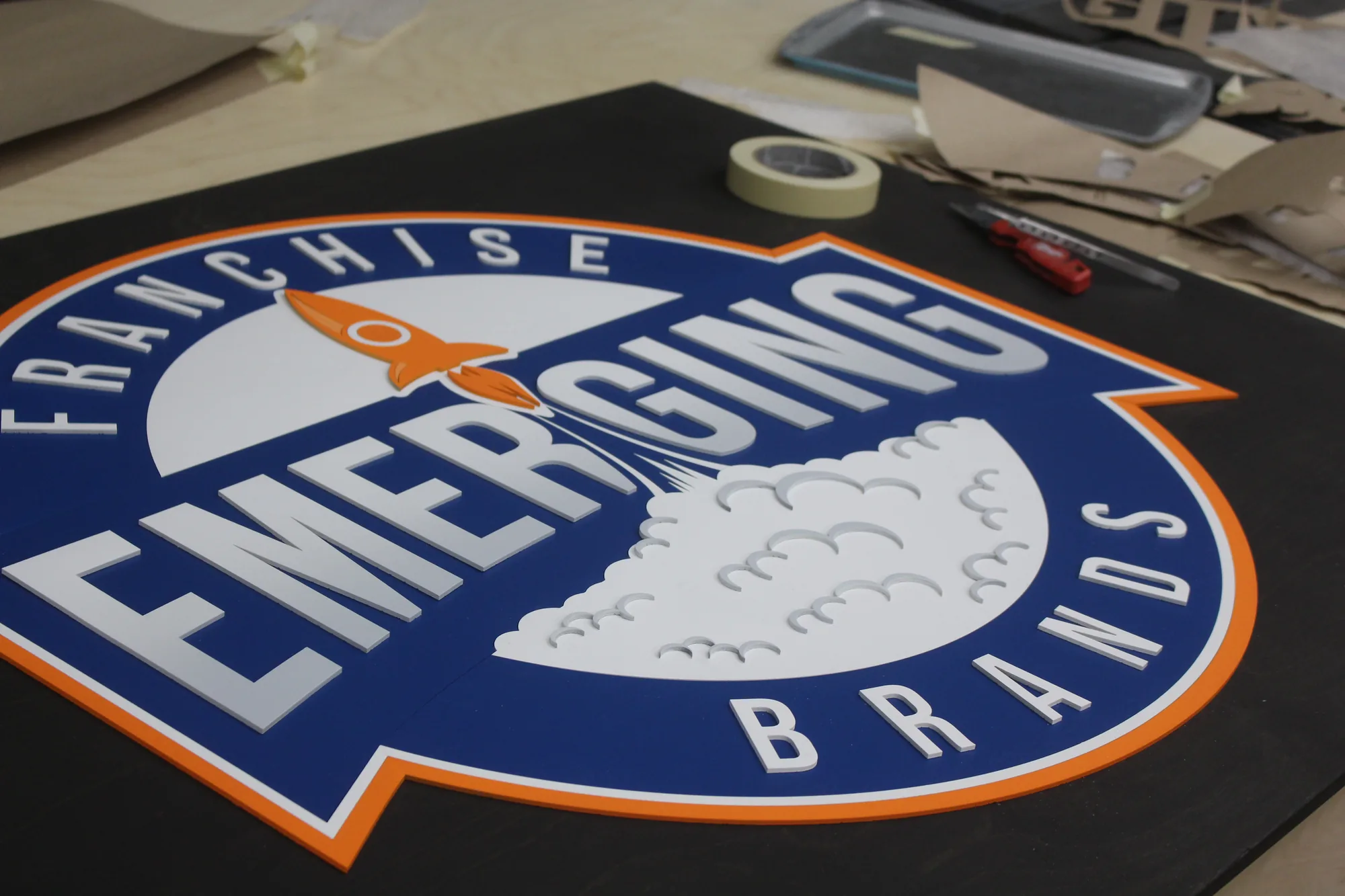
We built this as a contour cut sign, blue base with white and orange lettering, cut to the
outline of the brand mark rather than mounted on a rectangular panel.
For video, that choice matters more than it does anywhere else. A rectangular sign on a wall
reads as a framed object, which is fine in a lobby and slightly awkward on camera, because it
introduces a hard edge that competes with your framing. A contour cut logo sign
has no rectangle. It reads as the brand applied to the wall, which behind a presenter looks
deliberate rather than decorated.
It also crops better. When a shot gets cut to vertical for shorts, a rectangular sign loses its
edges and looks broken. A shaped mark just loses part of itself, which reads as intentional.
Contour cut versus rectangular for video
| Build | On camera | Best for |
|---|---|---|
| Rectangular panel | Reads as a framed object, hard edges in frame | Text led logos, budget builds, offices |
| Contour cut with base | Follows the mark, softer in frame, still one object | Most creator setups |
| Contour cut, no base | Elements mount straight to the wall, reads as painted on | Minimal sets, strong silhouettes |
| Multi layer contour | Real depth, multiple shadow lines under key light | Logos with an inner and outer element |
Depth is the whole reason to use wood rather than a printed backdrop. Under a key light, each
layer throws a shadow, and that shadow is what stops a video backdrop logo sign
from looking like a flat graphic pasted behind you.
What creators need from a backdrop sign
- Matte finish. Gloss reflects your key light straight into the lens.
- Readable at thumbnail size. If it is illegible at 320 pixels wide it is not
working. - Survives a vertical crop. Shorts and reels cut hard.
- Sized for one person, not a boardroom. Most creator setups are a single host.
- Easy to reposition, because sets get rebuilt constantly.
Frequently asked questions about video backdrop signs
What size sign works best behind a YouTube setup?
24″ x 12″ to 36″ x 18″ for a single presenter. Frame your usual shot and hold up card at that
size before ordering. Bigger is not better on camera.
Will the sign glare under my lights?
Not with a matte interior finish. This is the main reason to choose wood over acrylic for a
lit set.
Should I get a rectangle or a shaped sign?
Shaped, if your logo has a strong outline. Rectangles introduce hard edges that compete with your
framing.
Can I get one that works for both a desk setup and a standing shot?
Yes, and a cleat on two walls lets you move it in seconds between them.
How long does it take?
About a week for an interior contour cut sign, and we send a proof before cutting.
See your backdrop sign before you commit
Send your logo and a screenshot of your usual framing, and we will come back with a
free digital proof at a size that reads properly on camera. Handmade in
California.
Related:
podcast studio signs ·
media production signs ·
franchise signage